


TL;DR
This is a milestone timeline of Apple portable Macs from the 1991 PowerBook 100 through MacBook models in 2026.
- It highlights the first MacBook in 2006, MacBook Air in 2008, Retina MacBook Pro in 2012, and M1 transition in 2020.
- Check the exact model against Apple’s compatibility lists before planning a macOS upgrade.
- Use the exact model name and year to distinguish generations before comparing support.
Curious about how Apple’s MacBooks have evolved over the years? This post explores a complete timeline of major Apple portable Mac generations from 1991 through March 2026, with key details about each generation.
This timeline groups major generations rather than listing every configuration.
A model year tells you when that hardware was introduced. It does not tell you which macOS versions it supports.
Check the exact model name or identifier against Apple’s MacBook Air identification list, MacBook Pro identification list, and the compatibility page for the macOS release you want.
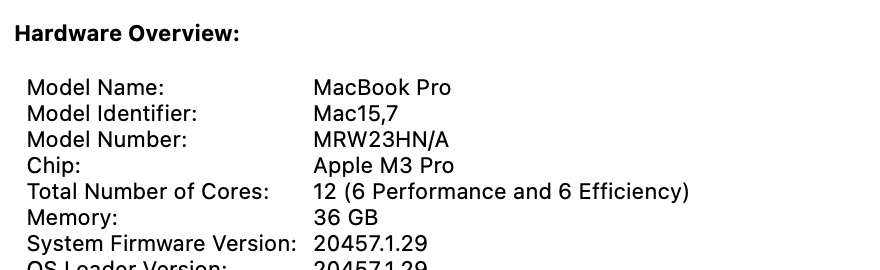
In System Information, Hardware Overview shows the model and chip. The example below is one MacBook Pro, not a description of every MacBook.
Apple’s 2026 announcements record introduction timing for MacBook Neo, MacBook Air with M5, and MacBook Pro with M5 Pro and M5 Max.
MacBook Models by Year: Major Apple Laptop Generations at a Glance
How We Check Our Guides We use Apple’s support documents and current developer instructions to check the steps. Screenshots and menu names can differ between versions, so follow the branch for your Mac. Read our editorial process.
Here are major Apple laptop generations from 1991 through 2026. Apple adopted the MacBook name in 2006, so the timeline also includes earlier PowerBook and iBook portables:
| MacBook Model | Release Year |
| MacBook Neo (13-inch, A18 Pro) | March 2026 |
| MacBook Air (13-inch & 15-inch, M5) | March 2026 |
| MacBook Pro (14-inch & 16-inch, M5 Pro/Max) | March 2026 |
| MacBook Pro (14-inch, M5) | October 2025 |
| MacBook Air (13-inch & 15-inch, M4) | March 2025 |
| MacBook Pro (14-inch & 16-inch, M4) | 2024 |
| MacBook Air (13-inch and 15-inch, M3) | March 8, 2024 |
| MacBook Pro (14-inch & 16-inch, M3) | October 2023 |
| MacBook Air (15-inch, M2) | June 13, 2023 |
| MacBook Pro (14-inch and 16-inch, M2 Pro/Max) | January 24, 2023 |
| MacBook Pro (13-inch, M2) | June 24, 2022 |
| MacBook Air (M2) | July 15, 2022 |
| MacBook Pro (14-inch & 16-inch, M1) | October 18, 2021 |
| MacBook Air (M1) | November 10, 2020 |
| MacBook Pro (13-inch, M1) | November 10, 2020 |
| MacBook Pro (16-inch) | November 13, 2019 |
| MacBook Air | July 9, 2019 |
| MacBook Pro (15-inch) | May 21, 2019 |
| MacBook Air | October 30, 2018 |
| MacBook Pro (15-inch) | July 12, 2018 |
| MacBook Pro (15-inch) | June 5, 2017 |
| MacBook Pro (13-inch Two-Port) | 2016 |
| MacBook Pro | October 27, 2016 |
| MacBook | 2015-2019 |
| MacBook Pro Retina (15-inch) | May 19, 2015 |
| MacBook Pro (Retina 13-inch & 15-inch) | 2013–2015 |
| MacBook Pro Retina | June 11, 2012 |
| MacBook Air | 2011–2017 |
| MacBook – Polycarbonate Unibody | Late 2009-Mid 2010 |
| MacBook Polycarbonate | February 26, 2008 |
| MacBook Air Unibody | January 15, 2008 October 20, 2010 |
| MacBook Polycarbonate | May 16, 2006 |
| MacBook Pro | February 2006 (announced January 10) |
| PowerBook G4 Titanium | January 7, 2001 |
| iBook | June 21, 1999 |
| PowerBook G3 | November 10, 1997 |
| PowerBook 500 | May 16, 1994 |
| PowerBook 100 | October 21, 1991 |
The 2026 entries were checked against Apple’s announcements for MacBook Neo, MacBook Air with M5, and MacBook Pro with M5 Pro and M5 Max.
Apple Laptop Models in Chronological Order
This MacBook models by year timeline starts with the PowerBook 100 in 1991. Here is the historical model sequence:
1. The PowerBook 100 (1991): The First PowerBook Generation

Apple released the PowerBook 100 in 1991 as part of its first PowerBook generation. The PowerBook line introduced a distinctive layout with the keyboard set behind a front palm rest and pointing device.
Here are some key features of the PowerBook 100:
- Black and white passive matrix LCD screen.
- Built-in keyboard and a trackball for navigation.
- Powered by a Motorola 68000 processor.
- Maximum RAM capacity of 8MB.
- Included a floppy disk drive.
- Ports for external devices.
- Introduced the iconic “clamshell” design with a hinged lid.
- The hinged lid protected the keyboard during transportation.
- The design offered a compact footprint when opened.
2. PowerBook 500 (1994)

Released in May 1994, the PowerBook 500 series included the PowerBook 520 and 540. These laptops marked a significant leap in Apple’s portable computing technology.
Here are the key features of the PowerBook 500 series:
- First Macintosh to use a trackpad instead of a trackball for cursor control.
- Powered by Motorola 68LC040 processors.
- Active matrix displays offer superior image quality over passive matrix.
- Built-in stereo speakers and stereo sound input/output ports.
- PCMCIA expansion slots for additional functionality.
- Built-in microphone for audio recording.
- 3.5-inch floppy disk drive for storage.
3. PowerBook G3 (1997)

The PowerBook G3 series introduced a sleek, curvaceous design with a bronze-colored keyboard and built-in trackpad. Powered by a PowerPC G3 processor, it offered significant performance improvements over the previous 603e processors.
The PowerBook G3 series initially included two models:
- PowerBook G3 “Kanga”: It was the first G3-based PowerBook, featuring a removable keyboard with expansion slots for additional functionality and a 12.1-inch active matrix display.
- PowerBook G3 Series: Featuring a fixed keyboard and a larger 14.1-inch display, this series offered various configurations with different processor speeds, memory, and storage options.
4. iBook (1999)

Apple introduced the iBook in 1999 as an affordable, vibrant alternative to the PowerBook G3. Its unique clamshell design with colorful translucent plastic casing targeted a broader consumer market.
Here are the key features of the iBook:
- Distinctive design with a clamshell-like shape.
- Brightly colored translucent casing, initially in Blueberry and Tangerine.
- Later models added colors like Graphite, Indigo, and Key Lime.
- Wireless networking capabilities.
- The 2nd-gen iBook “Dual USB” featured built-in Wi-Fi support.
- Users could connect to wireless networks without extra adapters.
5. PowerBook G4 Titanium (2001)

Apple introduced the PowerBook G4 Titanium in January 2001, featuring a sleek, lightweight titanium body. It combined style, performance, and connectivity, making it a top choice for professionals and power users.
Here are the key features of the PowerBook G4 Titanium:
- Sleek, lightweight titanium alloy enclosure.
- Powered by PowerPC G4 processors.
- Available with processor speeds from 400 MHz to 667 MHz.
- RAM capacities range from 128 MB to 1 GB.
- Full-size keyboard.
- Up to 5 hours of battery life.
- Built-in Ethernet, FireWire, USB, and VGA ports for connectivity.
- Optional integrated AirPort (Wi-Fi) card for wireless connectivity.
6. MacBook Pro (2006)

Apple announced the first MacBook Pro on January 10, 2006, with availability beginning in February. It replaced the PowerBook G4 line as Apple moved its notebooks to Intel processors.
Its sleek aluminum design and display options of 15-inch and 17-inch made it a symbol of modernity.
Here are the key features of the MacBook Pro (2006):
- Aluminum enclosure, enhancing its sleek and modern design.
- Two display size options: 15-inch and 17-inch.
- Introduced Apple’s MagSafe magnetic connector for secure and easy charging.
- Backlit keyboard for improved visibility in low-light conditions.
- Transitioned to Intel processors, boosting performance and compatibility.
- Configurations range from 1.67 GHz to 2.16 GHz processors.
- Offered RAM from 512 MB to 2 GB, with larger hard drive options.
- Glossy widescreen displays for a vibrant visual experience.
- Included an iSight camera for video conferencing and media capture.
- Connectivity options like Wi-Fi, Bluetooth, and USB.
7. MacBook Polycarbonate (2006)

Apple launched the MacBook Polycarbonate line in 2006, replacing the iBook and marking the shift to Intel processors. With a white polycarbonate design, it offered a budget-friendly, reliable laptop with solid performance.
Here are the key features of the MacBook line:
- Affordable alternative to the higher-end MacBook Pro line.
- Powered by Intel Core Duo processors.
- 13.3-inch glossy displays.
- Built-in iSight cameras for video conferencing and capturing media.
- MagSafe power connectors for secure and easy charging.
- Full-size keyboard for a comfortable typing experience.
- Inclusion of Apple’s Front Row media center software and remote control for media playback.
8. MacBook Air Unibody (2008 & 2010)

The MacBook Air Unibody (2008 & 2010) refers to ultra-thin, lightweight laptops by Apple that redefined portability and design. They set new industry standards, highlighting Apple’s commitment to innovation.
Here are the key features of the MacBook Air:
MacBook Air Unibody (2008)
- Slim profile, weighing just 3 pounds.
- 13.3-inch LED-backlit display.
- Full-size keyboard.
- Single USB port.
- No optical drive.
- Solid-state storage for faster data access.
MacBook Air Tapered Unibody (2010)
- Even thinner profile.
- A choice between an 11.6-inch or a 13.3-inch display size.
- Two USB ports and an SD card slot.
- Solid-state storage for faster data access.
9. MacBook (Late 2009 & Mid 2010 – Polycarbonate Unibody)

Apple redesigned the MacBook in late 2009 with a sleek unibody polycarbonate shell, making it sturdier and more modern than the older white models.
A mid-2010 refresh added slight performance updates, keeping the entry-level MacBook appealing for students and everyday users.
Here are the key features:
- Compact, affordable option compared to the MacBook Pro.
- Unibody polycarbonate enclosure with rounded edges.
- 13.3-inch LED-backlit display.
- NVIDIA GeForce 9400M (2009) and 320M (2010) graphics.
- Multi-touch glass trackpad.
- Up to 10 hours of battery life in the 2010 model.
10. MacBook Air (2011–2017 Generations)

Between 2011 and 2017, Apple refined the MacBook Air into one of its most popular laptops. These models balanced portability, battery life, and performance, cementing the Air as the go-to MacBook for everyday use.
Here are the key features:
- The 2017 version became the last Air before the Retina redesign.
- Available in 11.6-inch and 13.3-inch sizes.
- Intel Core i5/i7 processors with SSD storage.
- Thin, wedge-shaped aluminum design.
- Long battery life ranging from 7 to 12 hours.
- Thunderbolt and USB ports for connectivity.
11. MacBook Pro Retina (2012)

The MacBook Pro Retina (2012) was released in June. It featured a stunning 2880×1800 resolution, offering sharp, detailed visuals ideal for photo editing, video production, and graphic design.
Here are the notable features of the MacBook Pro Retina (2012):
- Stunning Retina display with 2880×1800 resolution.
- A slim, lightweight design similar to the MacBook Air.
- Unibody aluminum enclosure for durability.
- Backlit keyboard for improved visibility.
- Large glass trackpad for intuitive navigation.
- Multiple Thunderbolt ports for high-speed data transfer.
- USB 3.0 ports for connecting various peripherals.
- HDMI port for video output.
- SDXC card slot for expandable storage.
- High-quality stereo speakers for an immersive audio experience.
- HD FaceTime camera for video calls.
- Long-lasting battery for extended usage.
12. MacBook Pro (Retina 13-inch & 15-inch, 2013–2015)

After the first Retina MacBook Pros in 2012, Apple introduced multiple refinements from 2013 to 2015. These models offered faster processors, improved graphics, and longer battery life while keeping the slim Retina design.
Here are the key features:
- Slim unibody aluminum design.
- Available in 13-inch and 15-inch Retina models.
- High-resolution Retina displays.
- Intel Haswell and Broadwell processors across updates.
- Faster PCIe-based flash storage.
- Longer battery life — up to 10 hours on 13-inch.
13. MacBook (2015-2019)

The MacBook (2015-2019) models were slim and compact, with a durable aluminum body and a 12-inch Retina display. These were popular for their portability and clear visuals.
They also introduced the butterfly keyboard for on-the-go productivity.
Here are the key features of the MacBook (2015-2019):
- Slim and compact design with a unibody aluminum enclosure.
- 12-inch Retina display for vibrant and sharp visuals.
- Introduced the butterfly keyboard for a thinner profile and improved key stability.
- Powered by Intel Core M processors in earlier models and later transitioned to Intel Core i5 and i7 processors.
- Available in various configurations depending on the model and release year.
14. MacBook Pro (2016)

The MacBook Pro (2016) featured a slimmer design, unibody aluminum enclosure, and larger Force Touch trackpad. It introduced the Touch Bar, replacing function keys with a dynamic OLED touchscreen for context-sensitive controls.
Here are the key features of the MacBook Pro (2016):
- Slimmer and lighter design with a unibody aluminum enclosure.
- Larger Force Touch trackpad for precise input.
- Removed traditional USB ports, MagSafe charging, and the SD card slot.
- Adopted Thunderbolt 3/USB-C ports for charging, data transfer, and connectivity.
15. MacBook Pro (13-inch Two-Port, 2016)

Alongside the Touch Bar MacBook Pros, Apple also released a simpler 13-inch model with just two Thunderbolt 3 ports and no Touch Bar.
This version was more affordable and appealed to users who didn’t need the advanced OLED strip.
Here are the key features:
- No Touch Bar – kept traditional function keys.
- Slim unibody aluminum design.
- 13.3-inch Retina display.
- Intel Core i5/i7 processors.
- Two Thunderbolt 3/USB-C ports.
- Larger Force Touch trackpad.
16. MacBook Pro (2017-2019)

The MacBook Pro (2017-2019) models, with their slim design and unibody aluminum enclosure, continued to provide a premium experience.
A key feature was the Touch Bar, a dynamic OLED strip above the keyboard for context-sensitive controls and shortcuts.
Here are the key features of the MacBook Pro (2017-2019):
- Slim design with a unibody aluminum enclosure.
- Retention of the Touch Bar, providing dynamic controls and shortcuts.
- Intel Core i5 and i7 processors deliver faster, more efficient performance.
- Retina displays for high-resolution visuals with enhanced brightness, color accuracy, and contrast.
17. MacBook Air (2018-2019)
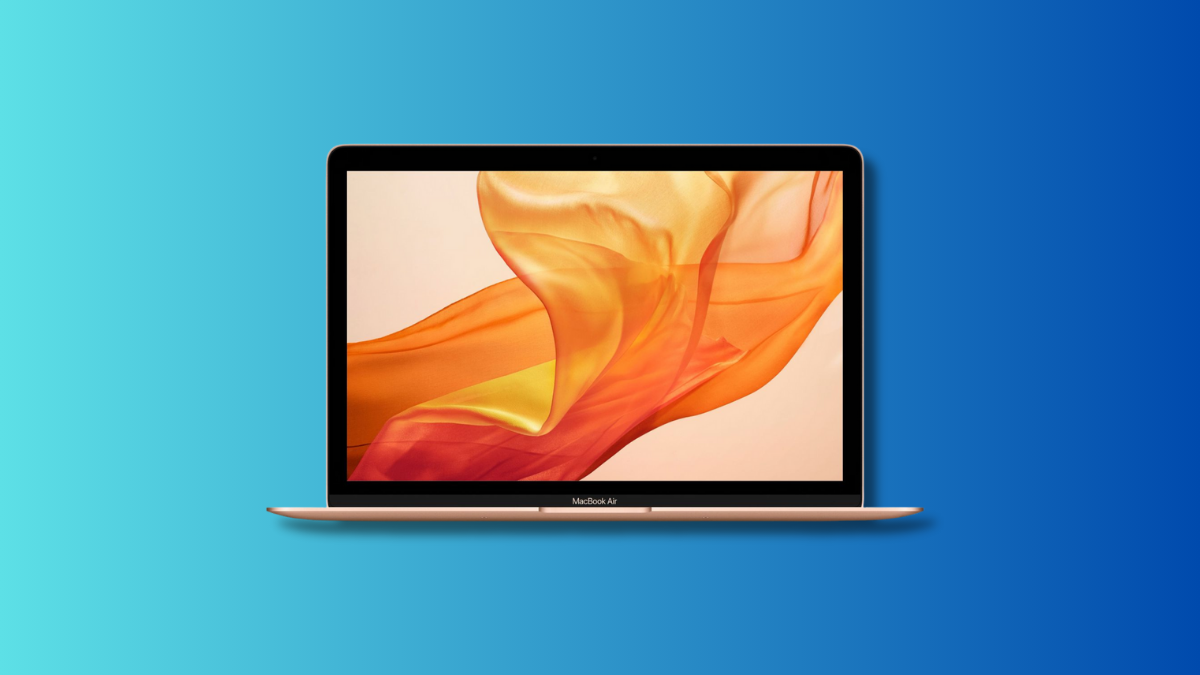
The MacBook Air (2018-2019) introduced a Retina display for better visuals in the MacBook Air line. It featured a sleek, lightweight aluminum design. Combining portability with Touch ID, these models enhanced the overall user experience.
Here are the key features of the MacBook Air (2018-2019):
- Retina display, offering higher resolution and sharper visuals on a 13.3-inch screen.
- Thin and lightweight design with an aluminum enclosure.
- The Touch ID sensor in the keyboard enables secure unlocking and online purchases with fingerprint recognition.
- Refined butterfly keyboard mechanism for improved typing comfort and reliability.
18. MacBook Pro 16-in (2019)

The MacBook Pro 16-inch (2019) featured a 3072×1920 Retina display for a larger workspace in video editing and graphic design. It combined the larger display with a revised keyboard and improved performance.
The model also added enhanced audio for an exceptional user experience.
Here are the key features of the MacBook Pro 16-inch (2019):
- 16-inch Retina display with higher resolution for enhanced visual immersion.
- Sleek and lightweight design with a unibody aluminum enclosure.
- Improved thermal management system for enhanced cooling.
- Introduced a new scissor mechanism keyboard, addressing issues with the butterfly design.
- Upgraded speakers for superior audio quality.
- Longer-lasting battery for extended usage.
19. MacBook Pro 13-in M1 (2020)

The MacBook Pro 13-inch M1 (2020) marked a milestone with Apple’s M1 chip, delivering significant performance improvements. It combined this custom ARM-based processor with a high-resolution display and versatile connectivity options.
Here are the key features of the MacBook Pro 13-inch M1 (2020):
- Introduced Apple’s M1 chip, providing powerful CPU, GPU, and neural engine capabilities.
- Enhanced performance for tasks like video editing, coding, and 3D rendering.
- 13.3-inch Retina display with 2560×1600 resolution for vibrant visuals.
- Thunderbolt/USB 4 ports for high-speed data transfer, charging, and device connections.
20. MacBook Air M1 (2020)
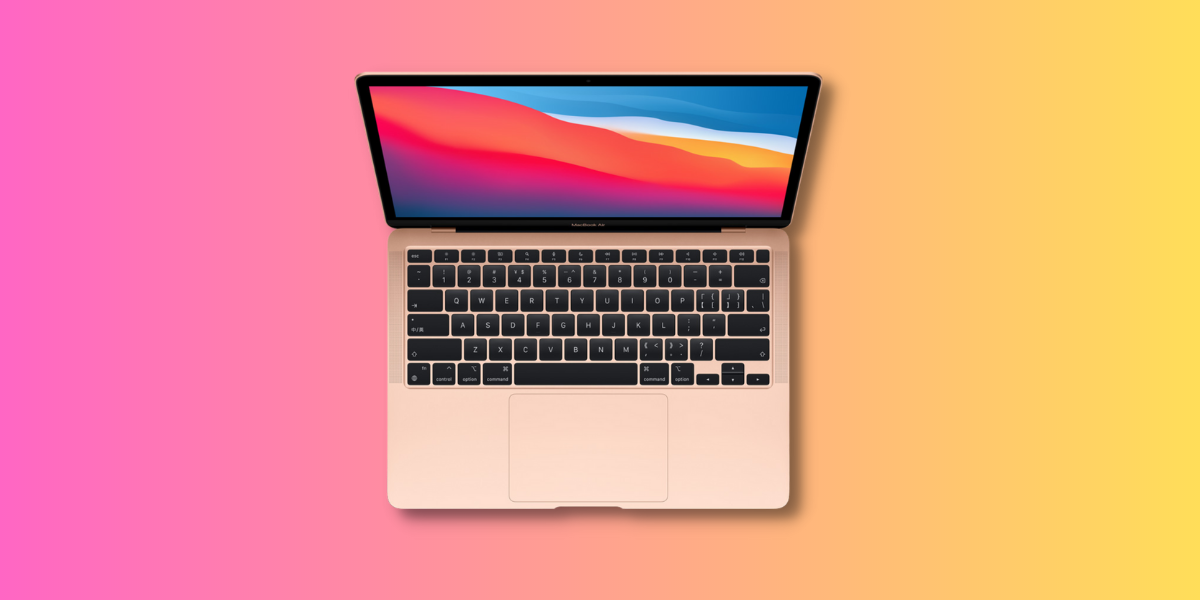
The MacBook Air M1 (2020) introduced Apple’s M1 chip to the Air series, combining it with a high-resolution display and a lightweight design.
The M1 model also improved battery life, making it a strong choice for performance and portability.
Here are the key features of the MacBook Air M1 (2020):
- Introduced Apple’s M1 chip, offering powerful performance.
- 13.3-inch Retina display with 2560×1600 resolution for sharp, vibrant visuals.
- Slim and lightweight design with a unibody aluminum enclosure.
- Refined keyboard mechanism for enhanced typing comfort.
- Silent operation due to the fanless design.
- Portability, making it convenient for users on the go.
- Enhanced battery life due to the M1 chip’s efficiency.
21. MacBook Pro 14-in and 16-in M1 (2021)
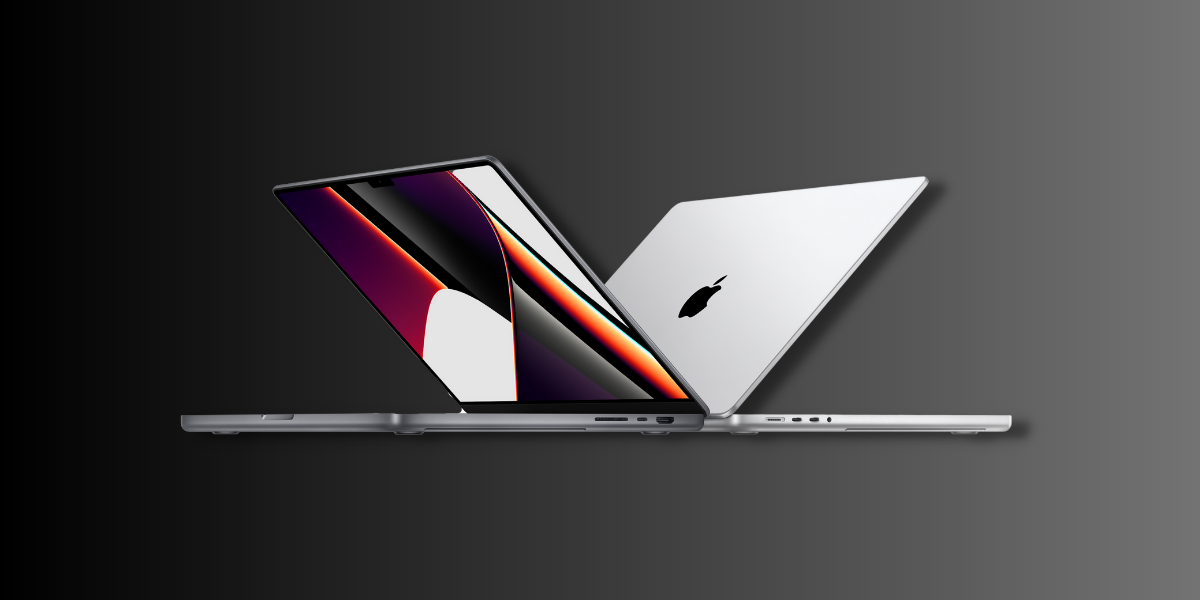
In 2021, Apple released the MacBook Pro 14-inch and 16-inch models with M1 processors.
These models offered top performance, high-quality displays, and advanced features, providing an exceptional experience for professionals and power users.
Here are the key features of the MacBook Pro 14-inch and 16-inch (2021) models:
- Apple Silicon M1 chip for improved performance and efficiency.
- New mini-LED Retina display with ProMotion technology and a 120Hz refresh rate.
- Refined keyboard mechanism for improved typing experience.
- Upgraded 1080p webcam and microphone for better video quality.
- Extended battery life for prolonged usage.
22. MacBook Air M2 (2022)
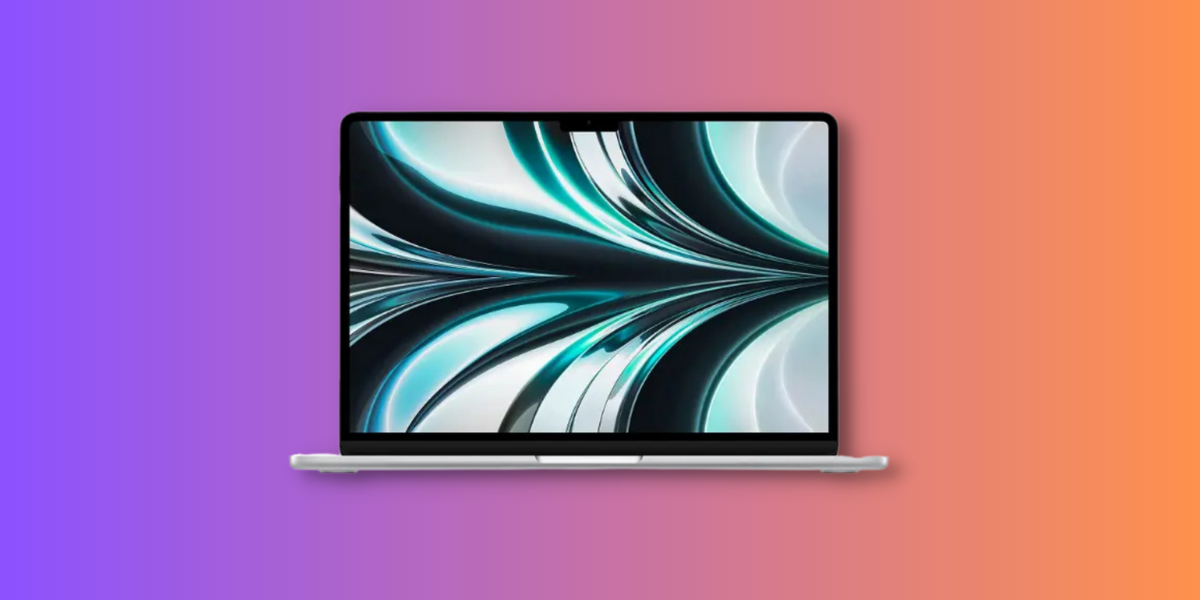
The MacBook Air M2 (2022) updates the lineup with a redesigned physical look and enhanced performance.
The M2 chip offers better multitasking and graphics, while the ultrathin design and larger, immersive display make it a top choice for portability and visual excellence.
Here are the key features of the MacBook Air M2:
- Thinner and lighter body with drastic design changes.
- Larger 13.6-inch Liquid Retina display with rounded corners for a brighter, more vibrant view.
- Apple M2 chip with 8-core CPU and 8-core GPU for better performance and graphics.
- Faster speed and responsiveness for daily tasks and multimedia.
23. MacBook Pro 13-in M2 (2022)
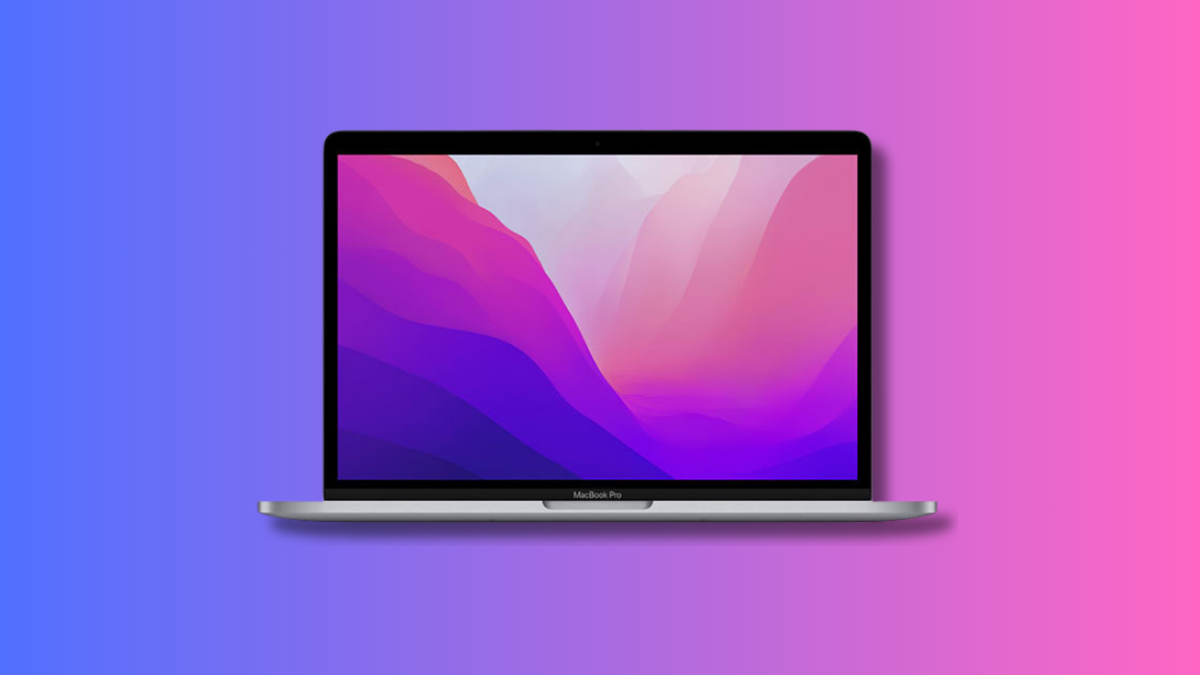
The MacBook Pro 13-inch M2 (2022) features the M2 processor for seamless multitasking and efficient storage. While it retains the iconic design of previous models, its performance enhancements elevate the MacBook experience significantly.
Here are the key features of the MacBook Pro 13-inch M2 (2022):
- M2 processor with 8-core CPU and 10-core GPU for enhanced performance.
- 8GB of RAM for smooth multitasking.
- 256GB SSD for fast and efficient storage.
- Retains the iconic design of previous MacBook Pro models.
- Battery life tested with a wireless web test, browsing 25 popular websites at a set brightness.
24. MacBook Pro 14-in and 16-in M2 Pro/Max (2023)
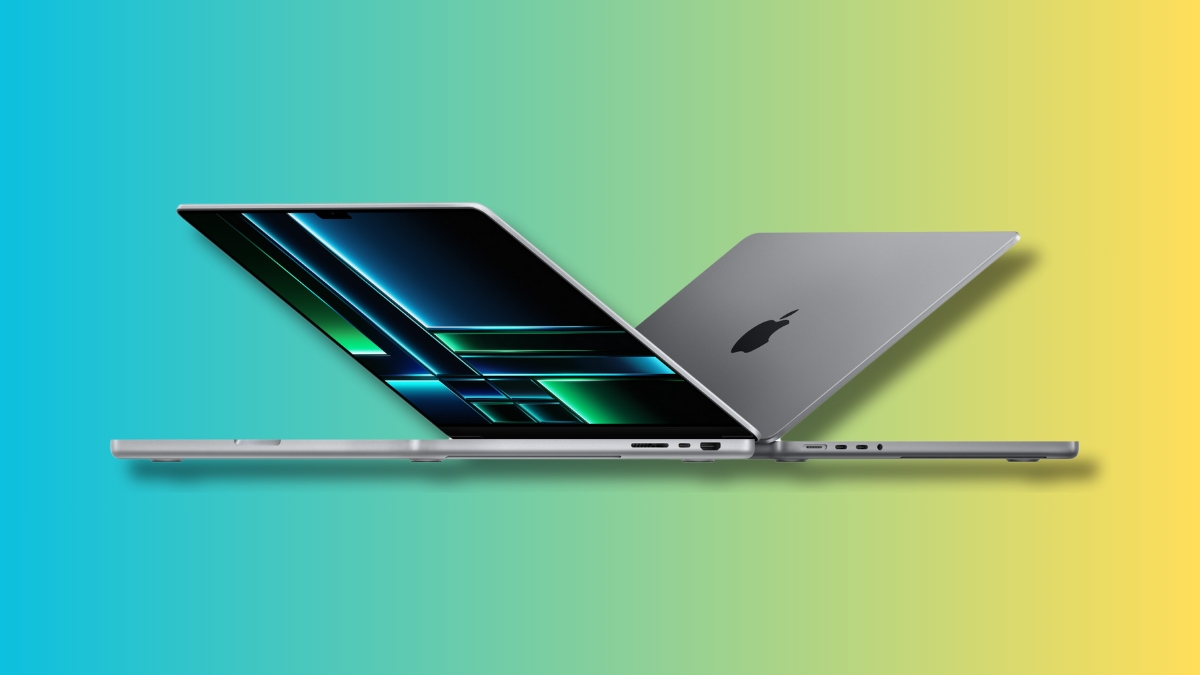
Released in January 2023, the 14-inch and 16-inch MacBook Pro models offered M2 Pro or M2 Max chips, Liquid Retina XDR displays, and connectivity for professional workflows.
The models also offered useful connectivity options for professionals needing reliable, powerful machines.
Here are the key features of the MacBook Pro (14-inch and 16-inch, M2 Pro/Max):
- Advanced thermal system keeps the laptop cool during heavy use.
- M2 Pro and M2 Max Chips with high performance for demanding tasks.
- Mini-LED Liquid Retina XDR Displays with brilliant, high-contrast screens.
- Up to 22 hours of battery life for extended usage time (16-inch model).
- ProMotion Technology with smooth 120Hz refresh rate.
- Enhanced connectivity with HDMI, SD card slot, and Thunderbolt 4 ports.
25. MacBook Air 15-in M2 (2023)
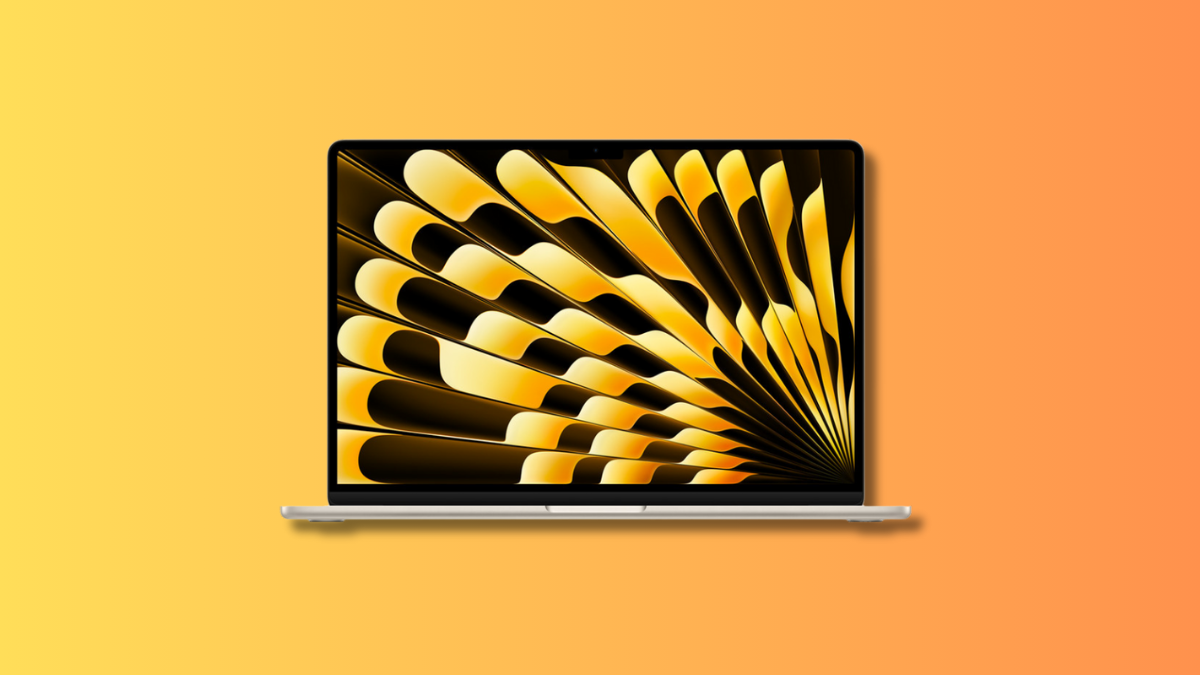
Released in June 2023, the 15-inch MacBook Air was Apple’s first larger screen size for the Air lineup.
It combined the Air’s thin, light design with the power of the M2 chip, offering users more screen space while maintaining the series’ signature features.
Here are the key features of the MacBook Air (15-inch, M2):
- 15.3-inch Liquid Retina Display with vibrant, larger screen.
- Powered by M2 Chip with enhanced performance.
- Thin, lightweight design, easy to carry despite the bigger screen.
- Up to 18 hours of battery life for all-day use.
- MagSafe charging for quick and secure power connection.
- 1080p FaceTime HD Camera for clear video calls.
26. MacBook Pro (14-inch & 16-inch, M3 – 2023)

In October 2023, Apple unveiled MacBook Pro models with the new M3 family of chips.
Available in 14-inch and 16-inch sizes, these laptops offered faster performance and graphics while retiring the long-running 13-inch Touch Bar model.
Here are the key features:
- Replaced the 13-inch Touch Bar model.
- Choice of M3, M3 Pro, or M3 Max chips.
- Liquid Retina XDR displays with ProMotion 120Hz.
- Up to 22 hours of battery life.
- Available in Silver, Space Gray, and new Space Black finish.
- HDMI, SD card slot, and multiple Thunderbolt 4 ports.
27. MacBook Air 13-in and 15-in M3 (March 2024)
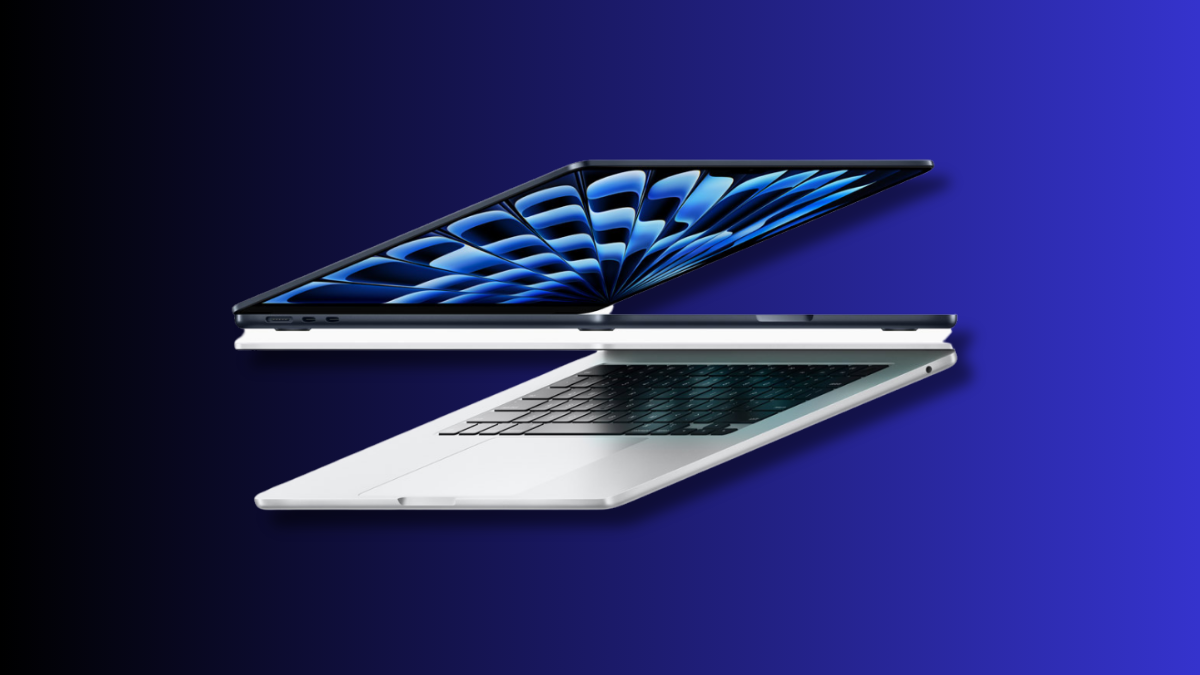
In March 2024, Apple released the MacBook Air with M3 chip, available in 13-inch and 15-inch models. These sleek, ultra-portable laptops deliver enhanced performance, thanks to the M3 chip.
With a vibrant Retina display and all-day battery life, the new MacBook Air models combine power and portability, perfect for everyday tasks and creative work.
Here are the key features of the MacBook Air (13-inch and 15-inch, M3):
- Improved performance with M3 Chip for multitasking, creative work, and everyday tasks.
- Backlit Magic Keyboard and large Force Touch trackpad.
- Available with a variety of SSD storage configurations, up to 2TB.
- Configurable up to 24GB of unified memory for smooth performance.
- Vibrant Retina display with True Tone.
- Thunderbolt/USB 4 ports, MagSafe charging, and 3.5mm headphone jack.
- 1080p FaceTime HD camera, three-microphone array, and six-speaker system with Spatial Audio.
- Sleek and lightweight, preserving the MacBook Air’s signature portability.
28. MacBook Pro (14-inch & 16-inch, M4 – 2024)
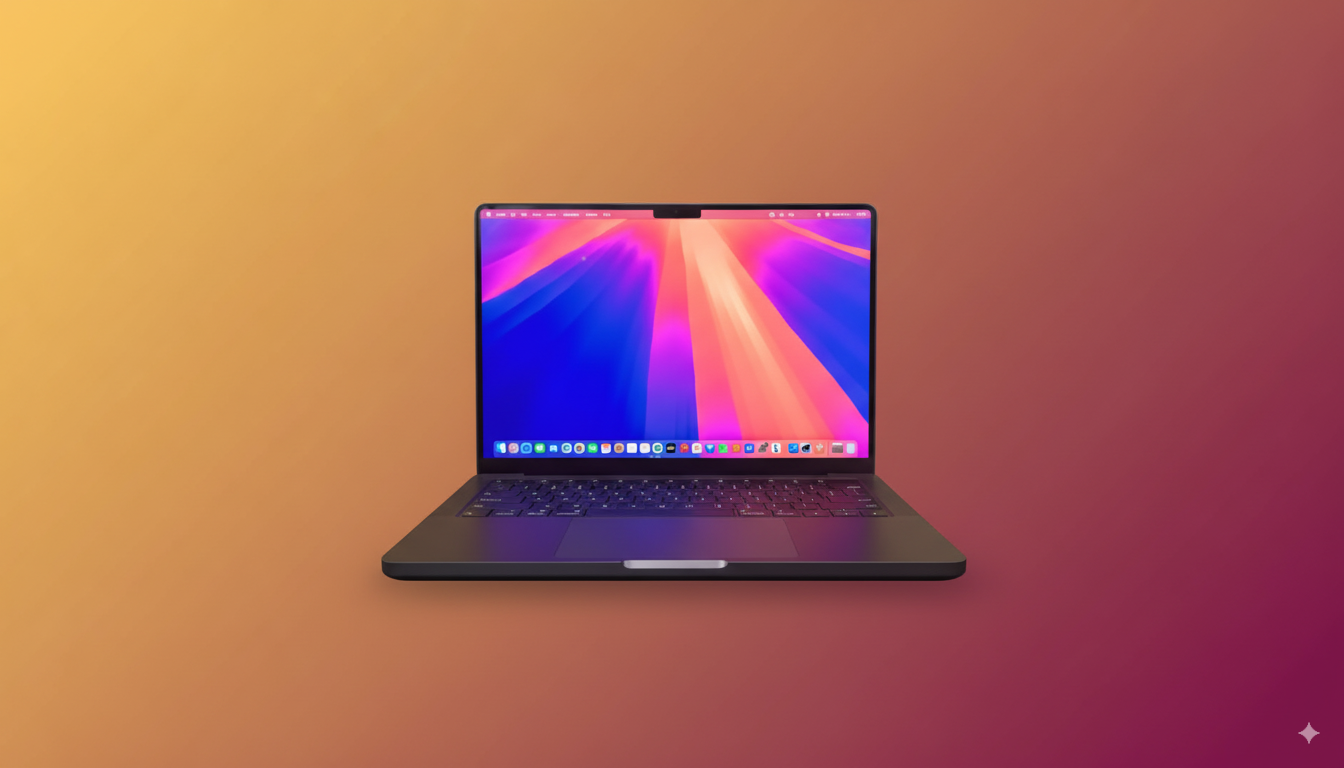
Apple launched the first M4 MacBook Pros in October 2024. These laptops pushed performance further with the next-generation M4 Pro and M4 Max chips, designed for intensive professional workflows like 3D rendering and AI development.
Here are the key features:
- Longest battery life ever in a MacBook Pro.
- Choice of M4 Pro or M4 Max chips.
- Even faster CPU and GPU performance.
- Up to 128GB unified memory.
- Mini-LED Liquid Retina XDR displays.
- ProMotion 120Hz refresh rate.
29. MacBook Air (13-inch & 15-inch, M4 – 2025)
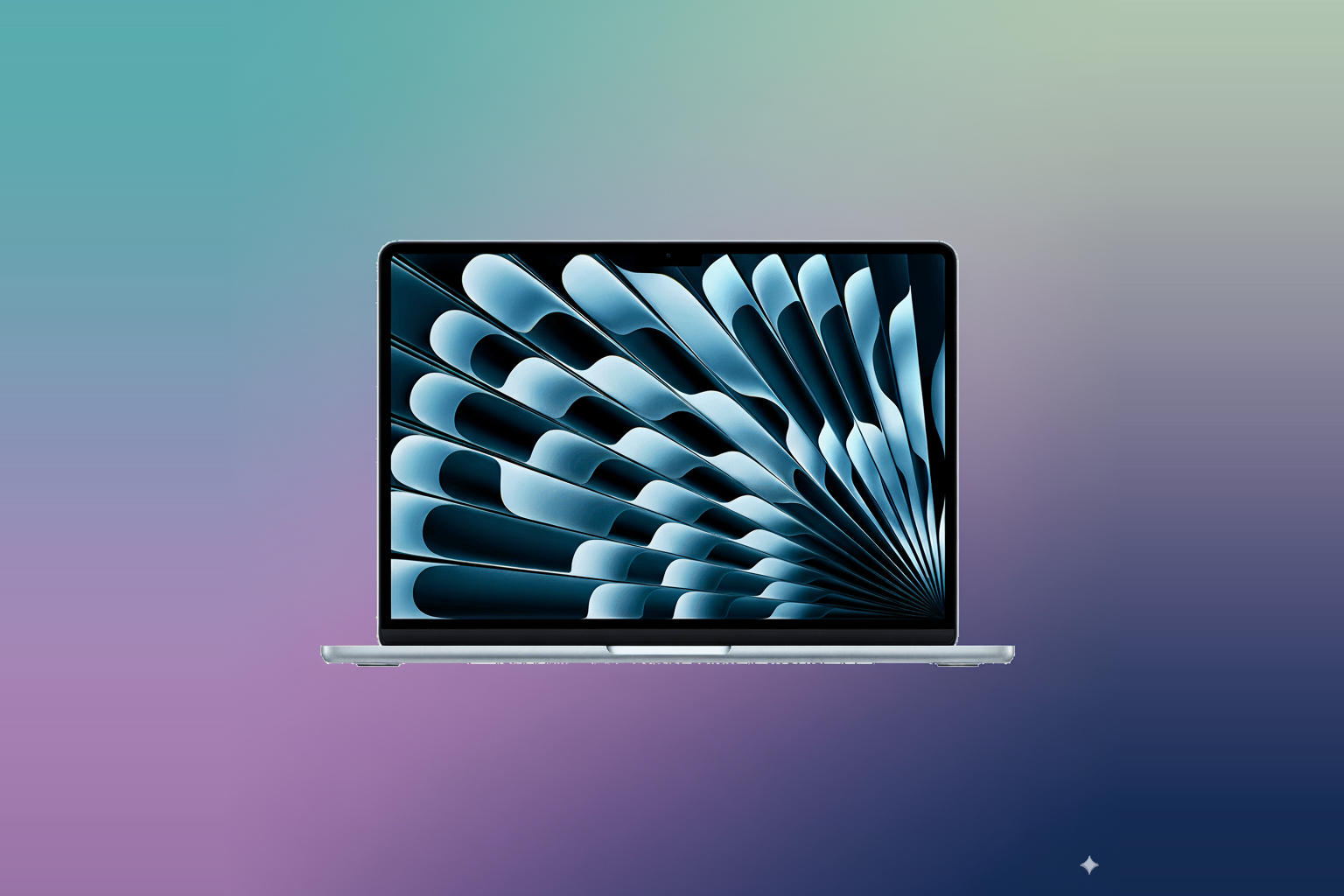
In March 2025, Apple refreshed the MacBook Air with M4 chips. Available in 13-inch and 15-inch sizes, these models delivered a big leap in speed while keeping the Air’s thin and light design.
Here are the key features:
- Available in Midnight, Starlight, Space Gray, and Silver.
- Powered by Apple’s M4 chip.
- Choice of 13.6-inch or 15.3-inch Liquid Retina displays.
- All-day battery life — up to 18 hours.
- Ultra-thin and portable unibody design.
- MagSafe charging, Thunderbolt ports, and headphone jack.
30. MacBook Pro (14-inch, M5 – 2025)
In October 2025, Apple updated the 14-inch MacBook Pro with the base M5 chip, continuing its annual cadence of silicon upgrades.
This model offered meaningful performance gains for everyday power users and creative professionals who don’t need the full Pro or Max tier.
Here are the key features:
- Powered by Apple’s M5 chip (10-core CPU, up to 10-core GPU).
- 14.2-inch Liquid Retina XDR display with ProMotion (up to 120Hz).
- Up to 32GB unified memory and configurable SSD storage up to 4TB. See Apple’s 14-inch M5 technical specifications.
- Up to 24 hours battery life — the longest ever in a 14-inch MacBook Pro.
- Three Thunderbolt 4 ports, HDMI, an SDXC card slot, and MagSafe 3 charging.
- Wi-Fi 6E and Bluetooth 5.3.
- Available in Space Black and Silver.
31. MacBook Pro (14-inch & 16-inch, M5 Pro/Max – 2026)
In March 2026, Apple introduced 14-inch and 16-inch MacBook Pro models with M5 Pro and M5 Max chips. Apple’s announcement describes their CPU, GPU, and memory-bandwidth improvements over the previous generation.
Here are the key features:
- M5 Pro or M5 Max, with up to 18 CPU cores. GPU core counts vary by configuration.
- Up to 128GB unified memory on supported M5 Max configurations.
- 14.2-inch or 16.2-inch Liquid Retina XDR display with ProMotion (up to 120Hz).
- Up to 24 hours of battery life, depending on the model and workload. See Apple’s M5 Pro and M5 Max announcement for its test conditions.
- Three Thunderbolt 5 ports, HDMI 2.1, SD card slot, and MagSafe 3 charging.
- Apple’s N1 networking chip with Wi-Fi 7 and Bluetooth 6.
- Available in Space Black and Silver.
32. MacBook Air (13-inch & 15-inch, M5 – 2026)
In March 2026, Apple refreshed the 13-inch and 15-inch MacBook Air with M5. The update kept the fanless design while adding the performance and efficiency improvements described in Apple’s announcement.
Here are the key features:
- Powered by Apple’s M5 chip.
- Choice of 13.6-inch or 15.3-inch Liquid Retina displays.
- Up to 32GB unified memory and up to 2TB SSD storage.
- Up to 18 hours of video streaming or 15 hours of wireless web use. These are workload-specific figures, not separate limits for the two screen sizes. See Apple’s 13-inch and 15-inch specifications.
- Fanless design — completely silent operation.
- MagSafe charging, two Thunderbolt 4 ports, and headphone jack.
- Apple Intelligence support across all configurations.
- Available in Midnight, Starlight, Sky Blue, and Silver.
33. MacBook Neo (13-inch, A18 Pro – 2026)
Apple introduced MacBook Neo in March 2026 as a new laptop family with an A18 Pro chip. Apple announced it on March 4 and made it available on March 11, 2026.
Apple currently sells three laptop families: MacBook Neo, MacBook Air, and MacBook Pro. The separate base MacBook line ended in 2019.
How Apple Portable Macs Changed Over the Years
From the PowerBook 100 to the MacBook Air M5, Apple laptops have set the standard for personal computing. For more on MacBooks and the Apple ecosystem, see:
- Apple has released a number of macOS updates over the years. Learn about all macOS updates ever released.
- MacBooks are considered long-lasting machines. Find out how long a MacBook lasts.
- Are MacBooks waterproof? Learn about their water resistance and protection to extend their lifespan.
Frequently Asked Questions
When did Apple introduce the MacBook name?
Apple introduced the MacBook in 2006.
The earlier PowerBook and iBook families belong to Apple’s notebook history, but they did not use the MacBook name. See Apple’s original MacBook announcement.
What is the latest MacBook model?
As of October 17, 2026, Apple’s current laptop families include MacBook Neo with A18 Pro, MacBook Air with M5, and MacBook Pro with M5 or M5 Pro/M5 Max.
Apple identifies the 14-inch M5 MacBook Pro as a 2025 model; the Neo, M5 Air, and M5 Pro/Max MacBook Pro are 2026 models.
These are hardware model years, separate from macOS compatibility.
What is the difference between M5 Pro and M5 Max?
Both are Apple silicon chips used in MacBook Pro models. Their core counts, memory limits, ports, and performance depend on the exact 2026 configuration.
Compare Apple’s current MacBook Pro technical specifications before choosing; these chips do not determine which macOS versions an older Mac supports.
How many MacBook models are there?
There is no single count unless you define whether you mean every configuration or each major generation.
This timeline groups major Apple laptop model generations and keeps PowerBook and iBook history before the MacBook name.
Apple’s current laptop families are MacBook Neo, MacBook Air, and MacBook Pro.
How can I identify my MacBook Pro model if I don’t have my Mac?
Use the model name or part number on the original packaging or receipt, then match it on Apple’s MacBook Pro identification page or Tech Specs page.
Apple’s Check Coverage page can use the serial number, but do not share a serial number publicly.
Affiliate disclosure: MacBook Journal may earn a commission when you buy through links on this page, at no extra cost to you.
How helpful was this article?
Your feedback helps us improve our guides.


