

TL;DR
To clear cookies on Mac:
- Safari: Go to Safari’s Settings > Privacy tab > Manage Website Data, then remove all or specific cookies.
- Chrome: Open Chrome’s Settings > Privacy and security > Clear browsing data, select cookies, and click Clear data.
- Firefox: In Firefox, go to Settings > Privacy & Security > Cookies and Site Data, then click Clear Data.
Tried and Tested ✅: The methods and steps mentioned in this article have been tried and tested firsthand by Ojash Yadav on his MacBook Pro M3 and rechecked for errors on Hashir’s MacBook Air M2.
You might not think about cookies often, but they can seriously slow down your browser over time. Once I figured that out, clearing them became a routine for me. Here’s how you can do the same on Safari, Chrome, and Firefox to keep your browsing smooth and your privacy protected.
Did You Know? Cookies were originally designed to help websites remember your preferences, but today, many are used for tracking your behavior online. Third-party cookies, in particular, are often used by advertisers to follow you across multiple websites.
How to Clear Cookies on Mac
Why You Can Trust MacBook Journal  We always conduct first-hand research and verify every method or solution we present, ensuring you receive reliable and effective advice. Learn more about our process.
Here’s a quick guide on how to delete cookies from Safari, Google Chrome, and Firefox.
1. Clear Cookies on Safari
Here are the detailed steps to clear cookies on Safari:
- Open Safari and click Safari in the menu bar at the top of your screen.
- Select Settings from the dropdown menu.
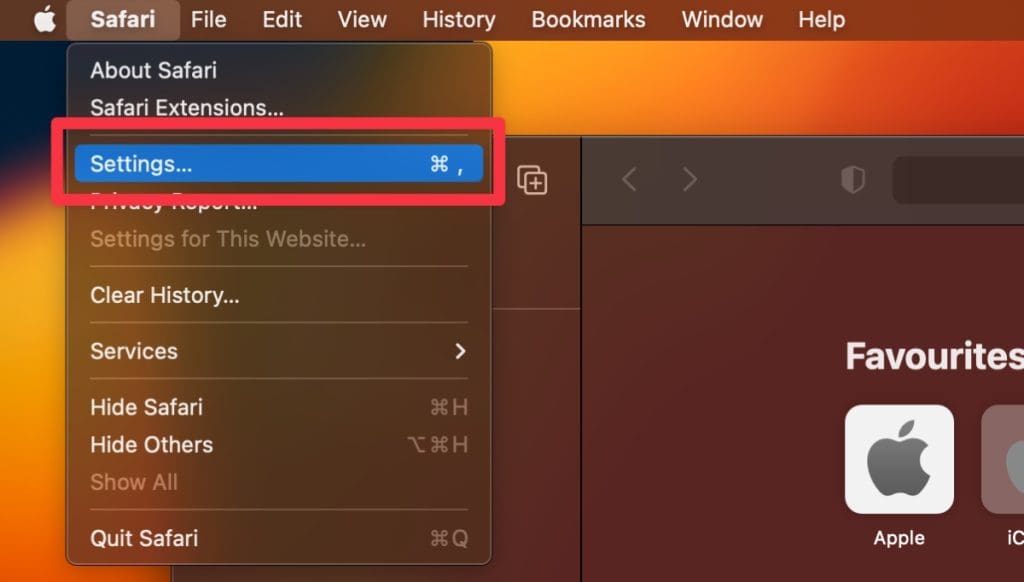
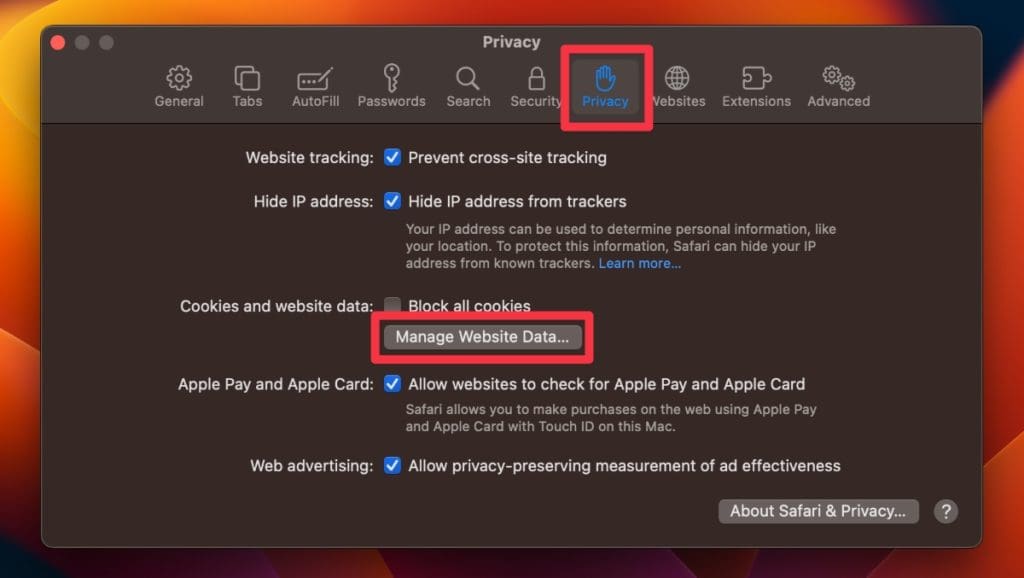
- Navigate to the Privacy tab.
- Click the Manage Website Data button.
- Select Remove All to clear all cookies.
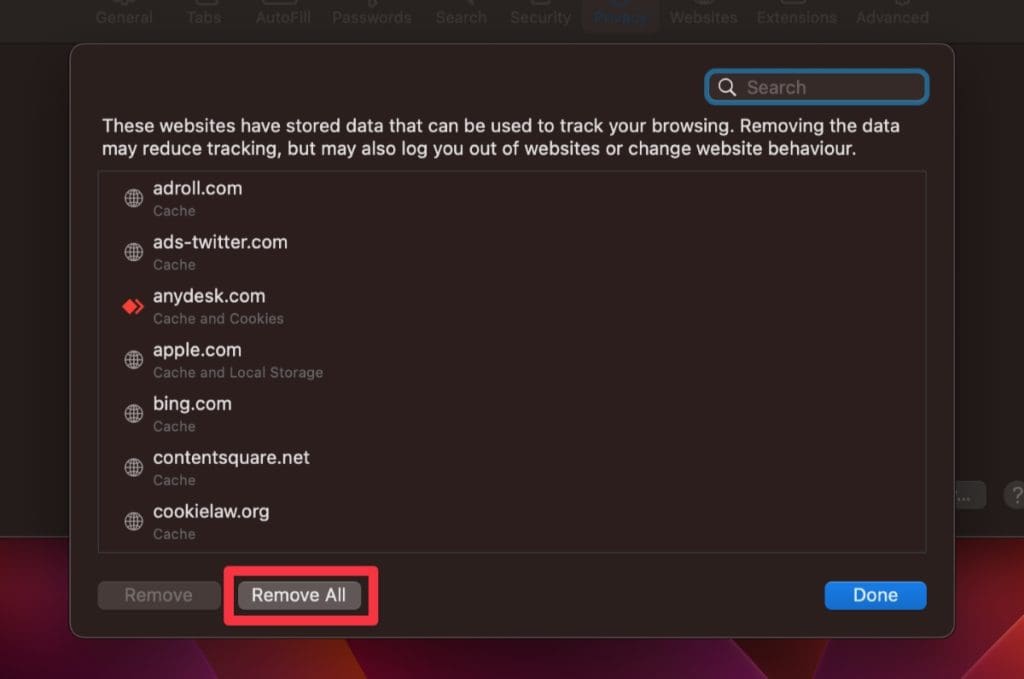
- If you want to delete cookies for a specific site, select it and click Remove.