

A few months ago, my Mac slowed down after a macOS update because it barely met the requirements. I dug into what each macOS version needs, and now I’m sharing what I learned. Let’s find out which macOS your Mac can run.
All macOS Version System Requirements
Why You Can Trust MacBook Journal  We always conduct first-hand research and verify every method or solution we present, ensuring you receive reliable and effective advice. Learn more about our process.
Let’s find out all macOS version system requirements, starting with macOS Sequoia and going back to OS X Lion.
Macs typically support new macOS versions for about 7-8 years from their release date. If your Mac is older, it’s worth checking compatibility before attempting an upgrade.
1. macOS Tahoe (macOS 16 / macOS 26)
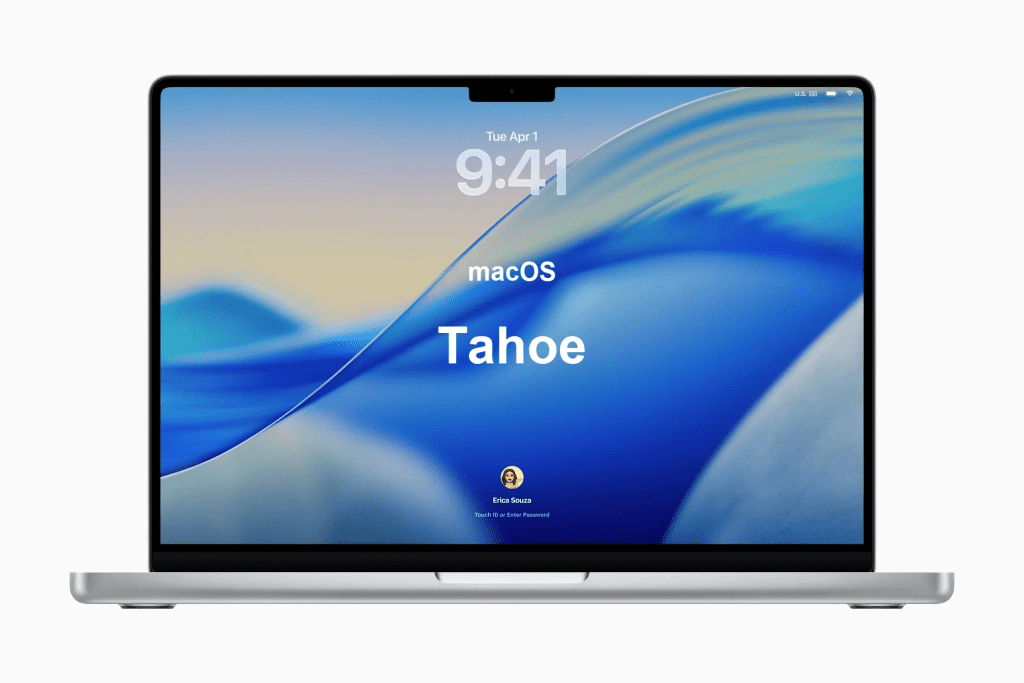
Apple announced macOS Tahoe at WWDC 2025, and it was released publicly on September 15, 2025. It will be the last macOS version to support Intel-based Macs, with future versions supporting only Apple silicon.
General Requirements for macOS Tahoe
- macOS 11 Big Sur or later
- 8 GB of memory (recommended)
- ≥ 25-30 GB of free storage (varies by upgrade path)
- Apple ID for certain features
- Internet connection (for updates, iCloud, etc.)
- Apple Intelligence features require a Mac with Apple silicon (M1 or newer)
macOS Tahoe Compatible Models
macOS Tahoe supports all Apple silicon Macs, plus a limited set of newer Intel Macs.
Here’s the compatibility list:
- MacBook Air (with Apple silicon, 2020 or later)
- MacBook Pro (with Apple silicon, 2020 or later)
- MacBook Pro (Intel) — 16-inch 2019, 13-inch 2020 with four Thunderbolt 3 ports
- iMac (2020 or later)
- Mac mini (with Apple silicon, 2020 or later)
- Mac Studio (2022 or later)
- Mac Pro (2019 or later)
The only Intel Macs supported are those few recent models. Many older Intel Macs that were supported by macOS Sequoia are not supported by Tahoe.
2. macOS Sequoia

macOS Sequoia, also known as macOS 15, is the latest iteration of Apple’s operating system, released on [September 16, 2024]. It introduces several new features, including enhanced privacy settings, improved performance, and a focus on environmental sustainability.
General Requirements for macOS Sequoia
- OS X 10.14 or later
- 8GB of memory
- 30GB available storage on macOS Big Sur or later
- An Apple ID for some features
- A compatible internet service provider for some features
- Apple Intelligence features require Macs with Apple silicon (M1 or later) and macOS 15.1 or newer
macOS Sequoia Compatible Models
Of all MacBooks ever released, macOS Sequoia is compatible with the following models:
- MacBook Pro (2018 or later)
- MacBook Air (2020 or later)
- iMac (2019 or later)
- iMac Pro (2017)
- Mac mini (2018 or later)
- Mac Studio (2022 or later)
- Mac Pro (2019 or later)
3. macOS Sonoma

macOS Sonoma, also referred to as macOS 14, was launched on September 25, 2023. This version brought new customization options, enhanced multitasking features, and various improvements to the built-in apps.
General Requirements for macOS Sonoma
- OS X 10.13 or later
- 8GB of memory
- 28GB available storage on macOS Big Sur or later
- An Apple ID for some features
- A compatible internet service provider for some features
macOS Sonoma Compatible Models
The compatible models for macOS Sonoma are:
- MacBook Pro (2016 and later)
- MacBook Air (2018 and later)
- Mac mini (2018 and later)
- iMac (2017 and later)
- iMac Pro (2017 and later)
- Mac Studio (2022 and later)
- Mac Pro (2019 and later)
4. macOS Ventura

macOS Ventura, also known as macOS 13, was released on October 24, 2022. It introduced Stage Manager for improved multitasking, along with other productivity features and enhancements.
General Requirements for macOS Ventura
- OS X 10.12 or later
- 8GB of memory
- 25GB available storage on macOS Catalina or later
- An Apple ID for some features
- A compatible internet service provider for some features
macOS Ventura Compatible Models
The following models support macOS Ventura:
- Mac Pro (2019 and later)
- MacBook (2017 and later)
- MacBook Pro (2016 and later)
- MacBook Air (2018 and later)
- Mac mini (2018 and later)
- iMac (2017 and later)
- iMac Pro (2017 and later)
- Mac Studio (2022 and later)
5. macOS Monterey

macOS Monterey, or macOS 12, arrived on October 25, 2021, bringing exciting features and improvements to Mac users. To see if your Mac can run Monterey, identify your model and year from the About This Mac section.
Did You Know? ❓Some macOS features are only available on newer Mac models. For example, macOS Monterey introduced Universal Control, but it requires a Mac from 2016 or later. Always check for feature-specific requirements to avoid missing out!
General Requirements for macOS Monterey
- OS X 10.2 or later
- 8GB of memory
- 26 GB free if upgrading from Sierra or later, up to 44 GB if upgrading from earlier.
- An Apple ID for some features
- A compatible internet service provider for some features
macOS Monterey Compatible Models
Compatible models for macOS Monterey are:
- MacBook (Early 2016 and later)
- MacBook Pro (Early 2015 and later)
- MacBook Air (Early 2015 and later)
- Mac mini (Late 2014 and later)
- iMac (Late 2015 and later)
- iMac Pro (2017 and later)
- Mac Studio (2022)
- Mac Pro (2013 and later)
6. macOS Big Sur

macOS Big Sur, also known as macOS 11, was released on November 12, 2020. It brought a refreshed design and numerous new features to Mac users.
General Requirements for macOS Big Sur
- OS X 10.9 or later
- 4GB of memory
- 35.5 GB free if upgrading from Sierra or later, up to 44.5 GB if upgrading from earlier
- An Apple ID for some features
- A compatible internet service provider for some features
macOS Big Sur Compatible Models
The following models are compatible with macOS Big Sur:
- MacBook (2015 or later)
- MacBook Air (2013 or later)
- MacBook Pro (Late 2013 or later)
- Mac mini (2014 or later)
- iMac (2014 or later)
- iMac Pro (2017 or later)
- Mac Pro (2013 or later)
7. macOS Catalina

Released on October 7, 2019, macOS Catalina (macOS 10.15) introduced significant updates and new capabilities.
General Requirements for macOS Catalina
- OS X 10.9 or later
- 4GB of memory
- 12.5GB of available storage
- An Apple ID for some features
- A compatible internet service provider for some features
macOS Catalina Compatible Models
The compatibility list for macOS Catalina is as follows:
- MacBook (Early 2015 or newer)
- MacBook Air (Mid 2012 or newer)
- MacBook Pro (Mid-2012 or newer)
- Mac mini (Late 2012 or newer)
- iMac (Late 2012 or newer)
- iMac Pro (2017)
- Mac Pro (Late 2013 or newer)
8. macOS Mojave

macOS Mojave (macOS 10.14) was released on September 24, 2018, and it featured a system-wide dark mode and other notable improvements.
General Requirements for macOS Mojave

- OS X 10.8 or later
- 2GB of memory
- 12.5GB of available storage
- An Apple ID for some features
- A compatible internet service provider for some features
macOS Mojave Compatible Models
The compatible Mac models for macOS Mojave include:
- MacBook (Early 2015 or newer)
- MacBook Air (Mid 2012 or newer)
- MacBook Pro (Mid-2012 or newer)
- Mac mini (Late 2012 or newer)
- iMac (Late 2012 or newer)
- iMac Pro (2017)
- Mac Pro (Late 2013; Mid-2010 and mid-2012 models with recommended Metal-capable graphics cards)
9. macOS High Sierra

macOS High Sierra (macOS 10.13), released on September 25, 2017, brought improvements to core technologies and refined features.
General Requirements for macOS High Sierra
- OS X 10.8 or later
- 2GB of memory
- 14.3GB of available storage to perform upgrade
- An Apple ID for some features
- A compatible internet service provider for some features
macOS High Sierra Compatible Models
The following Mac models are compatible with macOS High Sierra:
- MacBook (Late 2009 or newer)
- MacBook Pro (Mid-2010 or newer)
- MacBook Air (Late 2010 or newer)
- Mac mini (Mid-2010 or newer)
- iMac (Late 2009 or newer)
- Mac Pro (Mid-2010 or newer)
10. macOS Sierra

macOS Sierra (macOS 10.12) arrived on September 20, 2016, introducing Siri integration and other enhancements.
General Requirements for macOS Sierra
- OS X 10.7.5 or later
- 2GB of memory
- 8.8GB of available storage
- An Apple ID for some features
- A compatible internet service provider for some features
macOS Sierra Compatible Models
The compatible Mac models for macOS Sierra are:
- MacBook (Late 2009 or newer)
- MacBook Pro (Mid-2010 or newer)
- MacBook Air (Late 2010 or newer)
- Mac mini (Mid-2010 or newer)
- iMac (Late 2009 or newer)
- Mac Pro (Mid-2010 or newer)
11. OS X El Capitan (10.11)
Released on September 30, 2015, OS X El Capitan introduced several enhancements and performance improvements. To determine if your Mac meets the requirements for OS X El Capitan, consider the following specifications.
General Requirements for OS X El Capitan (10.11)
- OS X v10.6.8 or later
- 2GB of memory
- 8.8GB of available storage
- An Apple ID for some features
- A compatible internet service provider for some features
OS X El Capitan Compatible Models
Here are the OS X El Capitan compatible models:
- MacBook (Early 2015)
- MacBook (Late 2008 Aluminum or Early 2009 or newer)
- MacBook Pro (Mid/Late 2007 or newer)
- MacBook Air (Late 2008 or newer)
- Mac mini (Early 2009 or newer)
- iMac (Mid 2007 or newer)
- Mac Pro (Early 2008 or newer)
- Xserve (Early 2009)
12. OS X Yosemite (10.10)

OS X Yosemite, released on October 16, 2014, brought a visually refreshed interface and tighter integration with iOS devices.
General Requirements for OS X Yosemite (10.10)
- OS X v10.6.8 or later
- 2GB of memory
- 8GB of available storage
- An Apple ID for some features
- A compatible internet service provider for some features
OS X Yosemite Compatible Models
The following models are compatible with OS X Yosemite:
- MacBook Air (2012 or newer)
- MacBook Pro (2012 or newer)
- iMac (2012 or newer)
- Mac mini (2012 or newer)
- Mac Pro (Late 2013)
Some features like AirDrop and Handoff require Macs from 2012 or newer.
13. OS X Mavericks (10.9)

Released on October 22, 2013, OS X Mavericks introduced several new features and performance improvements.
General Requirements for OS X Mavericks (10.9)
- OS X v10.6.8 or later
- 2GB of memory
- 8GB of available space
- An Apple ID for some features
- A compatible internet service provider for some features
OS X Mavericks Compatible Models
The compatible models for OS X Mavericks are:
- iMac (Mid 2007 or newer)
- MacBook (Late 2008 Aluminum or Early 2009 or newer)
- MacBook Pro (Mid/Late 2007 or newer)
- Xserve (Early 2009)
- MacBook Air (Late 2008 or newer)
- Mac mini (Early 2009 or newer)
- Mac Pro (Early 2008 or newer)
14. OS X Mountain Lion (10.8)

OS X Mountain Lion, released on July 25, 2012, focused on further integrating iOS features into the Mac environment.
General Requirements for OS X Mountain Lion
- OS X v10.6.8 or later
- 2GB of memory
- 8GB of available space
- An Apple ID for some features
- A compatible internet service provider for some features
OS X Mountain Lion Compatible Models
The following Apple computers are compatible with OS X Mountain Lion:
- iMac (Mid 2007 or newer)
- MacBook (Late 2008 Aluminum or Early 2009 or newer)
- MacBook Pro (Mid/Late 2007 or newer)
- Xserve (Early 2009)
- MacBook Air (Late 2008 or newer)
- Mac mini (Early 2009 or newer)
- Mac Pro (Early 2008 or newer)
15. OS X Lion (10.7)

Released on July 20, 2011, OS X Lion introduced a range of new features and a more streamlined user interface.
General Requirements for OS X Lion
- Mac computer with an Intel Core 2 Duo, Core i3, Core i5, Core i7, or Xeon processor
- 2GB of memory
- OS X v10.6.6 or later (v10.6.8 recommended)
- 7GB of available space
- An Apple ID for some features
- A compatible internet service provider for some features
OS X Lion Compatible Models
OS X Lion supports the following devices:
- MacBook Pro (Late 2008 or newer)
- MacBook Air (Late 2010 or newer)
- MacBook (Late 2008 or newer)
- iMac (Early 2009 or newer)
- Mac mini (Mid-2010 or newer)
- Mac Pro (Early 2009 with AirPort Extreme card or Mid 2010)
Warning ⚠️: Installing a new macOS on an unsupported or barely supported Mac might lead to sluggish performance, app crashes, or other issues. Always check compatibility and consider sticking with your current version if your Mac is older.
Final Thoughts
When considering upgrading your Mac’s operating system, ensure your computer meets the minimum system requirements. However, there are a few additional tips to keep in mind to optimize your experience:
- Ensure enough free storage before updating macOS.
- Back up important files before system updates.
- Declutter your Mac by removing unnecessary files and apps before upgrading.