


Racing games have always been thrilling, but Mac users often missed out—until now. With the power of the M1 chip, Mac gaming has hit top speed. Whether you’re on an Intel or M1 Mac, I’ve got the best racing games for 2025 lined up for you. From realistic simulators to arcade-style fun, these picks will have you on the edge of your seat.
Tried and Tested ✅: The methods and steps mentioned in this article have been tried and tested firsthand by Ojash Yadav on his MacBook Pro M3 and rechecked for errors on Hashir’s MacBook Air M2.
Best Racing Games for Mac in 2025
Why You Can Trust MacBook Journal  We always conduct first-hand research and verify every method or solution we present, ensuring you receive reliable and effective advice. Learn more about our process.
Here’s a quick list of the best racing games for Mac:
Before We Begin
Gaming can sometimes slow down your Mac. While there many ways to speed up a Mac, using MacKeeper, a Mac optimization software is the quickest. MacKeeper has several features to give your Mac the boost it needs, including a cache cleaner, RAM freer, duplicates finder, and more.
Give Your Mac a Speed Boost With MacKeeper
MacKeeper is the ultimate solution to give your Mac a powerful speed boost. This comprehensive software suite is designed specifically for Mac users, offering a wide range of performance-enhancing tools and utilities.
With its intuitive interface and advanced optimization features, MacKeeper optimizes your Mac’s performance, cleans up junk files, and protects your system from malware, all in one convenient package.
Follow the steps below to use MacKeeper’s Memory Cleaner to free up the RAM on your Mac:
- Download and install MacKeeper on your Mac.
- Open MacKeeper and click Memory Cleaner under the Performance tab.

3. Click Open.

- Click Clean Memory.

- It will clean your Mac and free up available memory. You can see how much memory it freed under Last Cleanup.

What Else Can MacKeeper Do?
Besides removing junk files, freeing up RAM, deleting login items, and scanning your Mac for viruses, MacKeeper can delete duplicate files on your Mac, block annoying ads, and provide a secure connection to your Mac with its VPN. Read more about its amazing features in my MacKeeper review.
Now, back to the games.
Here are some of the best games for MacBooks that offer something unique, whether you’re a casual gamer or a hardcore racing enthusiast:
1. GRID™ Legends
GRID™ Legends System Requirements
| Specifications | Minimum Requirements | Supported Mac Models |
| OS | macOS 13.3 or later | – All Apple silicon Macs (M1, M2, M3 series and later) |
| Chip | Apple M1 or later | |
| Memory | 8GB RAM recommended | |
| Storage | ~36GB available space |
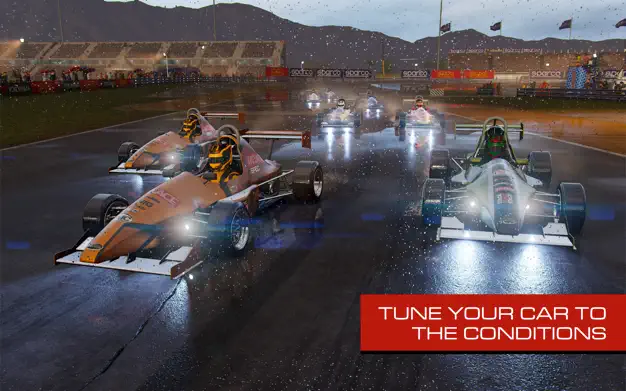
If you want a modern racer that feels built for today’s Macs, GRID Legends delivers. It packs a big career mode, live-action story, and many car classes. On Apple silicon it runs smooth and looks sharp. I liked the variety most. One night I ran street circuits, the next I jumped into hectic mixed-class events.
Why I Loved It:
- Native on M-series: Great performance without workarounds.
- Lots to do: Career, story, time attack, and online.
- Controller-friendly: Plug in and race.
Downsides:
- Big download; plan storage first.
- Online lobbies can vary by region/time.
Play This If: You want a current, fully supported racer tuned for Apple silicon with plenty of modes.
2. Asphalt 9: Legends
Asphalt 9: Legends System Requirements
| Specifications | Minimum Requirements | Supported Mac Models |
| OS | macOS 11.0 or later | – Most Macs from 2017 and later that support macOS 11.0+ |
| Chip | Apple silicon or Intel | |
| Memory | 8GB RAM recommended | |
| Storage | ~7–8GB available space |
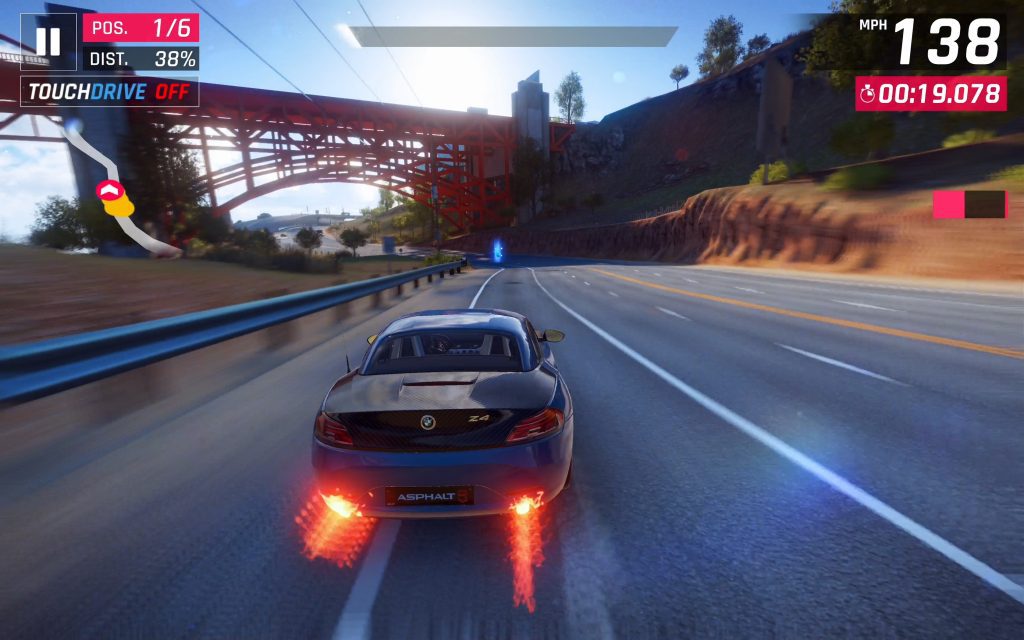
Asphalt 9 is an easy “download and play” pick. It feels fast from the first race, the drift-boost loop is satisfying, and events refresh often. I liked how quickly I could jump into multiplayer and start unlocking cars. A controller helps a lot on longer sessions.
Why I Loved It:
- Free to play with frequent events.
- Runs on many Macs (macOS 11+).
- Controller support is built-in for a console-like feel.
Downsides:
- Progression leans on grinding and IAP.
- Online balance changes can shift the meta.
Play This If: You want a quick, flashy arcade racer that works on a wide range of Macs and supports controllers out of the box.
3. Horizon Chase 2
Horizon Chase 2 System Requirements
| Specifications | Minimum Requirements | Supported Mac Models |
| OS | macOS 11.0 or later | – All Macs that support Apple Arcade on macOS 11.0+ (Intel and Apple silicon) |
| Subscription | Apple Arcade required | |
| Chip | Apple silicon or Intel | |
| Memory | 8GB RAM recommended | |
| Storage | ~5GB available space |
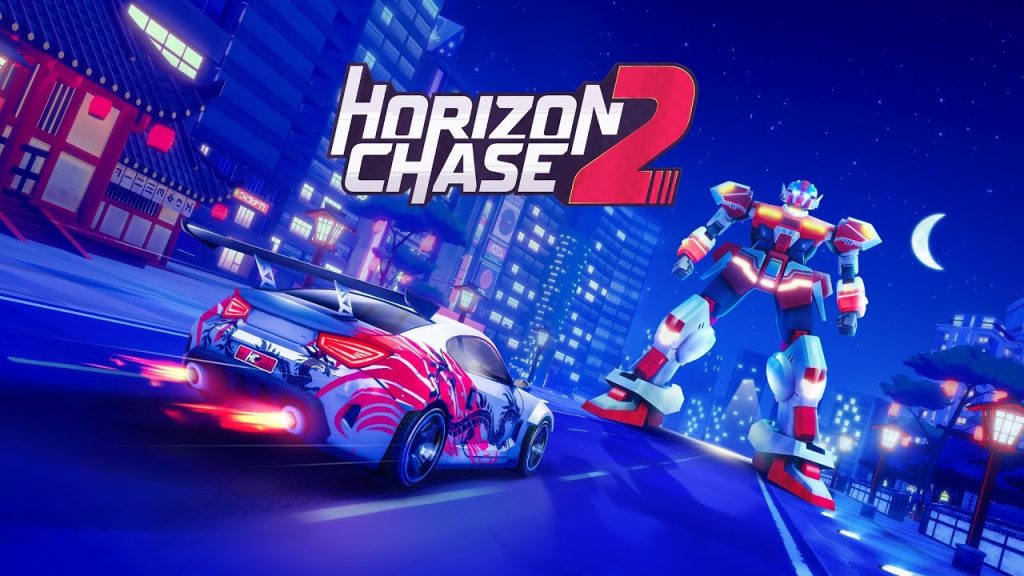
Horizon Chase 2 nails pure arcade fun. Bright tracks, tight controls, and snappy races make it easy to play for a few minutes or an hour. Cross-device play under Apple Arcade is smooth, and the car upgrades keep you chasing better times. It ran flawlessly on my M-series Mac.
Why I Loved It:
- Arcade feel with modern polish.
- Apple Arcade updates keep content fresh.
- Works across Apple devices with cloud saves and controller support.
Downsides:
- Apple Arcade subscription needed to play.
- No ultra-deep sim tuning (it’s built for quick fun).
Play This If: You want fast, colorful racing with cross-device play and zero setup headaches on macOS.
4. F1 2017

F1 2017 System Requirements
| Specifications | Minimum Requirements | Supported Mac Models |
| OS | macOS 10.12.5 | – 13″ MacBook Pros (since Late 2016) – 15″ MacBook Pros (since Late 2016) – 21.5″ iMacs with 2.0GHz CPU or better (since Late 2015) – 27″ iMacs (since Late 2014) – All Mac Pros (since Late 2013) |
| Processor | 2.0 GHz Intel Core i5 | |
| Graphics | 2 GB AMD R9 M290, 1.5 GB Intel Iris Pro 6200 | |
| Memory | 8GB RAM | |
| Storage | 36GB available space |
If you’ve ever dreamed of speeding around famous Formula 1 tracks, F1 2017 is for you. It’s not just about racing; you’re also managing pit stops and tweaking your car’s performance. I loved the career mode, which kept me hooked for weeks.
But on the flip side, F12017 is being removed from stores. This means that the ones who already have it can continue to play it but the access to new players is being ;imited.
Why I Loved It:
- Deep Customization: Fine-tuning my car gave me a sense of control.
- Long Career Mode: It’s like living a full F1 driver’s life.
- Multiplayer Fun: Racing with friends across platforms is a blast.
Downsides:
- Demanding on your Mac—make sure it’s powerful enough.
- Can feel overwhelming if you’re not into F1.
- It is being widely removed from stores/licensing
Play This If: You’re an F1 fan or enjoy games with both strategy and action.
5. Art of Rally

Art of Rally System Requirements
| Specifications | Minimum Requirements | Supported Mac Models |
| OS | macOS 10.12.5 | MacBook Pro or iMac |
| Processor | 2.0 GHz Intel Core i5 | |
| Graphics | 2 GB AMD R9 M290, 1.5 GB Intel Iris Pro 6200 | |
| Memory | 8GB RAM | |
| Storage | 36GB available space |
This one surprised me. Art of Rally doesn’t try to be hyper-realistic. Instead, it’s beautifully simple, with a Zen-like vibe. Driving classic rally cars across stunning, minimalistic landscapes feels refreshing. It’s challenging, though—don’t expect to win without some practice.
Why I Loved It:
- Relaxing Yet Fun: The visuals are calming, even during intense races.
- Nostalgic Cars: Driving vintage rally cars feels special.
- Smooth Gameplay: Runs perfectly on both Intel and M1 Macs.
Downsides:
- No multiplayer mode.
- Overhead camera angles can make sharp turns tricky.
Play This If: You want something different from the usual racing games.
6. Warped Kart Racers

Warped Kart Racers System Requirements
| Specifications | Minimum Requirements | Supported Mac Models |
| OS | macOS 12.0 | All MacBook models that can run macOS 12.0 or later |
| Processor | – | |
| Graphics | – | |
| Memory | – | |
| Storage | 920MB available space |
This game is pure fun. It’s like Mario Kart but made for Mac. The colorful tracks and quirky characters kept me entertained for hours. My favorite track? Cosmic Rainbow—it’s like racing through a neon disco.
Why I Loved It:
- Easy to Learn: I got the hang of it in minutes.
- Multiplayer Action: Competing with friends is so much fun.
- Vibrant Visuals: The tracks are eye candy.
Downsides:
- The tracks can feel repetitive after a while.
- Occasionally lags in multiplayer.
Play This If: You’re looking for a lighthearted racing game to enjoy with friends.
7. Gravel

Gravel System Requirements
| Specifications | Minimum Requirements | Supported Mac Models |
| OS | macOS 10.13 (High Sierra) or later | Metal 2-capable Macs |
| Processor | Intel Core i5 or better | |
| Graphics | Metal 2 compatible with 4GB VRAM | |
| Memory | 8GB RAM | |
| Storage | 15GB available space |
Gravel is all about high-energy, off-road racing. I loved switching between modes like Wild Rush and Cross Country, each offering a different kind of thrill. It’s not overly complicated, so you can jump in and start having fun right away.
Why I Loved It:
- Exciting Tracks: From muddy forests to sandy deserts, every race feels fresh.
- Beginner-Friendly: Easy to play but still exciting.
- Great Graphics: It’s visually stunning, especially on newer Macs.
Downsides:
- Needs a powerful Mac to run smoothly.
- The in-game promotions can get annoying.
Play This If: You enjoy off-road racing and want a mix of fun and competition.
8. Absolute Drift

Absolute Drift System Requirements
| Specifications | Minimum Requirements | Supported Mac Models |
| OS | OSX 10.0+ (64-bit Systems Only) | MacBook Pro or iMac |
| Processor | 2.2GHz Dual Core | |
| Graphics | 512 MB RAM | |
| Memory | 2GB RAM | |
| Storage | 350MB available space |
Drifting isn’t easy, and Absolute Drift makes sure you know that. But once you get the hang of it, it’s incredibly satisfying. The minimalist design and open-world maps give it a unique charm.
Why I Loved It:
- Challenging but Rewarding: Nailing a perfect drift feels amazing.
- Exploration: Drifting through open-world maps keeps things interesting.
- Optimized for Mac: Works flawlessly on both M1 and Intel machines.
Downsides:
- Steep learning curve, especially for beginners.
- Limited variety in the soundtrack.
Play This If: You’re into drifting or love games that test your skills.
9. FlatOut 2

FlatOut 2 System Requirements
| Specifications | Minimum Requirements | Supported Mac Models |
| OS | macOS 10.6.8 | – Via Parallels on all Macs – Via Boot Camp on Intel Macs only |
| Processor | Intel | |
| Graphics | Nvidia GeForce 7300, ATI Radeon X1600, Intel GMA X3100, 128 MB of VRAM | |
| Memory | 512MB RAM | |
| Storage | 4GB available space |
FlatOut 2 is chaos in the best way possible. It’s an old-school arcade racer where smashing into things is just as important as finishing first. The mini-games and destruction derby modes are ridiculously fun.
Why I Loved It:
- Pure Mayhem: It’s all about crashing, smashing, and having a blast.
- Variety: With 34 cars and multiple game modes, it never gets boring.
- Nostalgic Feel: It’s a throwback to simpler gaming days.
Downsides:
- The graphics are dated.
- Controls can feel clunky at times.
Play This If: You love chaotic, over-the-top racing action.
Play the Best Racing Games on Your Mac
The world of racing games on Mac is more exciting than ever. From intense rally races to retro arcade fun, there’s something for every gamer. Ready to race? These top picks for 2024 will get your adrenaline pumping.
Here are a few tips to make your Mac gaming even better:
- If you’re wondering whether your MacBook is good for gaming, the short answer is yes. If you have a MacBook with M1 or M2 chip, it can easily run racing games.
- If you want to play seamlessly on your system, make sure to optimize your Mac for gaming.
- Mac keyboard shortcuts can significantly enhance your gaming experience. So, learn the common keyboard shortcuts and play like a pro.